
About
On nights when "just one more video" keeps you up, give Jamiwa a single tap.
🌙 One tap, that's it
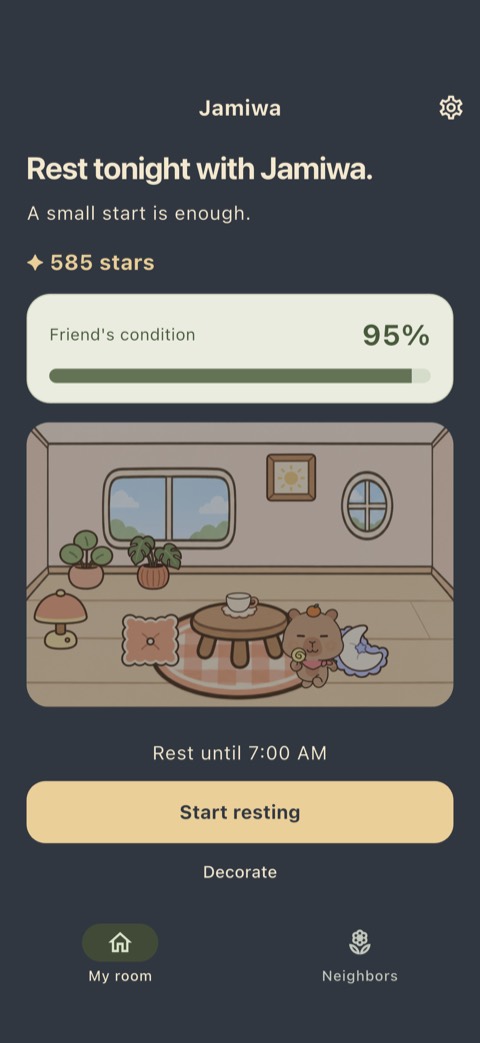
- Tap "Start resting" once at night. Your rest ends on its own at the time you set.
- No alarms to set and nothing to tap in the morning.
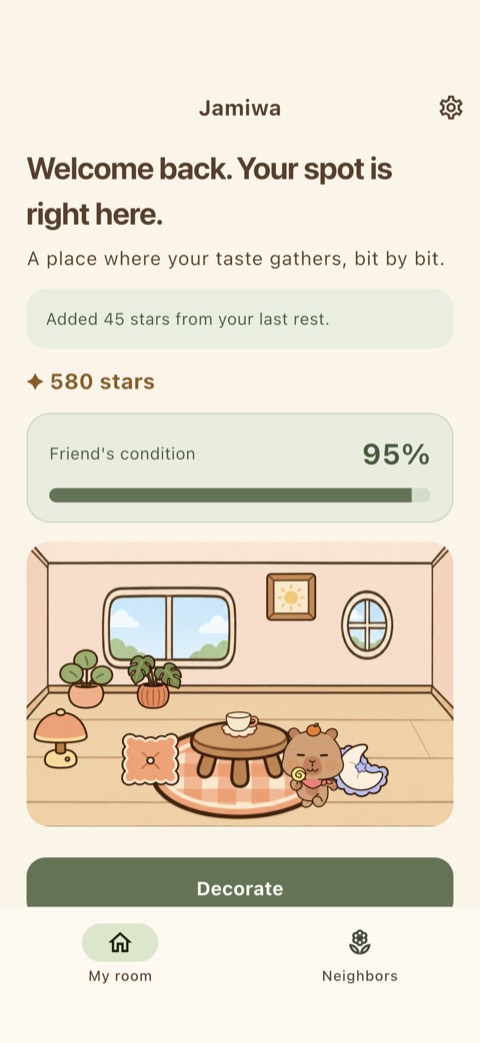
- Next time you open the app, your stars are already there. No claim buttons, no pop-ups.
🛋️ Decorate with set spots
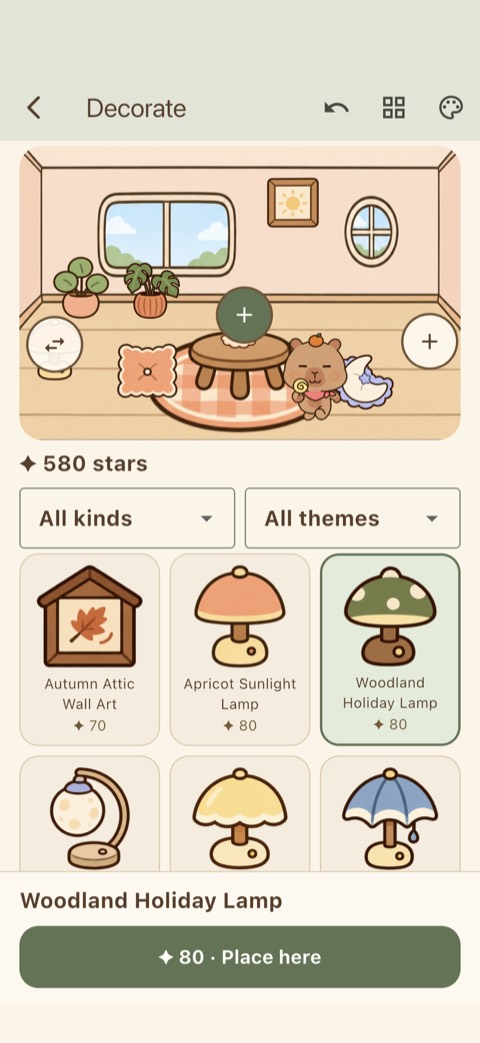
- Buy cushions, teacups, lamps, sofas and more, and place them in set spots in your room. Pick, see the spot, place.
- All 120 items across 12 themes are available from day one. No gacha, no limited-time items.
- Save up to 12 layouts and switch back anytime.
🐾 A friend to live with
- Live with Barami, Retteomi, Kukami or Adeomi. Change friends anytime.
- Your friend's condition rises slowly as you keep resting and never drops sharply on nights you couldn't.
🏡 Neighbors, only if you want
- Share your room if you like, and peek into other people's rooms.
- No comments, likes or rankings. Make your room private again anytime.
🔒 Good to know
- Jamiwa does not measure or diagnose sleep and does not block other apps.
- If you allow auto record, it checks only whether your phone was put down, for up to 10 minutes after you start, and that data never leaves your device. Stars and condition are the same either way.
- Sign in with Google to continue on a new phone. We don't store your email.
- No ads and nothing to buy.
자미와: 쉬는 밤, 채우는 거실
밤에 한 번 누르고 폰을 내려놓으면, 모은 별로 친구와 사는 거실을 꾸며요.
자야 하는데 하나만 더 보게 되는 밤, 자미와에서 한 번만 눌러 보세요.
🌙 한 번 누르면 끝
- 밤에 "쉬기 시작"을 한 번 누르면, 정해 둔 시간에 휴식이 저절로 끝나요.
- 알람을 맞추거나 아침에 다시 눌러야 할 일이 없어요.
- 다음에 들어오면 별이 이미 담겨 있어요. 받기 버튼도, 축하 팝업도 없어요.
🛋️ 정해진 자리에 놓는 꾸미기
- 쿠션, 찻잔, 조명, 소파 같은 소품을 사서 거실의 정해진 자리에 놓아요. 고르고, 자리를 보고, 놓으면 끝이에요.
- 12가지 테마의 소품 120종을 처음부터 모두 살 수 있어요. 뽑기도, 기간 한정도 없어요.
- 마음에 드는 모습은 "내 배치" 12칸에 저장해 두고 언제든 다시 불러와요.
🐾 함께 사는 친구
- 바라미, 레떠미, 쿠카미, 아더미 중 한 친구와 지내요. 언제든 바꿀 수 있어요.
- 친구 컨디션은 쉬는 날이 이어지면 천천히 오르고, 쉬지 못한 날에도 크게 떨어지지 않아요.
🏡 원할 때만 이웃집
- 원하면 내 방을 이웃에게 공개하고, 다른 사람의 거실을 구경할 수 있어요.
- 댓글, 좋아요, 순위는 없어요. 언제든 비공개로 돌릴 수 있어요.
🔒 알아 두세요
- 자미와는 수면을 측정하거나 진단하지 않고, 다른 앱을 차단하지도 않아요.
- 자동 기록을 허용하면 시작 후 최대 10분 동안만 폰이 놓였는지 살펴보고, 그 자료는 기기 밖으로 보내지 않아요. 허용하지 않아도 별과 컨디션은 똑같아요.
- Google로 로그인해 새 폰에서도 이어 갈 수 있어요. 이메일은 저장하지 않아요.
- 광고와 유료 결제가 없어요.